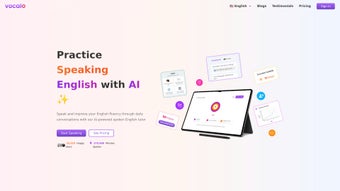

Download Vocalo – AI-Powered English Learning Tool for Speaking, Reading & Writing Practice
Enhance your English skills with Vocalo, an innovative AI-driven language learning platform that transforms how you practice speaking, reading, and writing. Designed for learners of all levels—from beginners to advanced—Vocalo uses real-time AI conversations to simulate natural language interactions. Whether you're preparing for a job interview, studying abroad, or simply improving daily communication, Vocalo delivers personalized, interactive lessons that adapt to your pace and learning style.
With instant feedback, voice recognition, and intelligent conversation prompts, this tool helps you build fluency and confidence in English. Download Vocalo today and experience a secure, user-friendly learning environment across Windows, Mac, Android, and iOS devices. No more fear of judgment—just powerful, accessible language practice anytime, anywhere.
Key Features of Vocalo: Smart Learning, Real-Time Feedback
Vocalo stands out in the crowded language learning market by combining advanced AI technology with a learner-centered design. One of its most impressive features is the real-time AI conversation engine, which allows users to engage in natural, flowing dialogues with intelligent virtual partners. Unlike traditional language apps that rely on pre-recorded responses, Vocalo’s AI adapts dynamically to your input, offering context-aware replies that mimic real human interactions. This not only improves speaking fluency but also enhances listening comprehension and spontaneous response skills—critical for real-world communication. Another standout feature is instant voice feedback. Using cutting-edge speech recognition, Vocalo analyzes pronunciation, intonation, and rhythm in real time. It highlights areas for improvement with visual cues and audio comparisons, helping users refine their accent and delivery. For example, if you mispronounce a word like "schedule," the app immediately detects it and provides a corrected version with a side-by-side audio playback. This immediate correction loop accelerates learning and builds muscle memory for accurate speech. Vocalo also integrates personalized learning paths based on your proficiency level and goals. Whether you're aiming to master business English, prepare for TOEFL, or simply chat confidently at a café, the platform tailors content accordingly. It tracks your progress, identifies weak spots, and suggests targeted exercises. The writing assistant feature further enhances language mastery by reviewing your essays and messages for grammar, vocabulary, and coherence, offering smart suggestions that improve your written expression. Additionally, Vocalo supports multi-device synchronization, so you can start a conversation on your phone during your commute and continue on your laptop at home. All data is securely stored with end-to-end encryption, ensuring privacy. With regular updates and new conversation scenarios, Vocalo stays fresh and relevant. Whether you're a student, professional, or lifelong learner, Vocalo’s rich feature set makes it one of the most effective tools for mastering spoken and written English.How to Install and Use Vocalo: Simple Steps for Every Learner
Getting started with Vocalo is quick and straightforward, making it accessible even for users with minimal tech experience. First, download the app from the official website or your preferred app store. Available for Windows, Mac, Android, and iOS, Vocalo ensures seamless access across all major platforms. Once downloaded, open the app and create a free account using your email or social media login. The registration process takes less than a minute and includes a brief placement test to assess your current English level. After setting up your profile, you’ll be guided through a short onboarding tutorial. This interactive walkthrough introduces key features like voice input, conversation topics, and feedback tools. You can choose your learning goal—such as "Travel English," "Job Interview Prep," or "Daily Conversation"—and the app customizes your first session accordingly. For example, if you select "Travel English," you’ll be asked to simulate booking a hotel room or asking for directions in a foreign city. To begin practicing, tap the "Start Conversation" button. The AI will initiate a dialogue, and you respond using your voice. Vocalo listens, processes your speech, and provides instant feedback. You can repeat phrases, adjust your tone, or ask for clarification. The app also offers conversation prompts like "Describe your ideal weekend" or "Explain the importance of teamwork," encouraging expressive and thoughtful responses. For writing practice, simply type your message or essay into the text box. Vocalo analyzes grammar, word choice, and sentence structure, offering real-time corrections and suggestions. You can save your work, review past sessions, and track your progress in the "My Journey" dashboard. With regular use—just 15 minutes a day—you’ll notice significant improvements in fluency, confidence, and accuracy. The app also sends gentle reminders and achievement badges to keep you motivated.Compatibility & System Requirements: Use Vocalo on Any Device
Vocalo is built for flexibility and broad accessibility, supporting a wide range of devices and operating systems. Whether you're using a desktop, tablet, or smartphone, you can enjoy uninterrupted language practice with minimal setup. The app is available for Windows 10 and later, macOS 11 (Big Sur) and newer, Android 8.0 and above, and iOS 13 and later. This ensures compatibility with most modern devices, including laptops, iPads, and flagship smartphones. For users on Windows and Mac, the desktop version offers a larger screen for better visibility of feedback cues and conversation history. It also supports external microphones and headphones, enhancing audio quality for more accurate pronunciation analysis. The desktop app integrates smoothly with your workflow, allowing you to practice during breaks or while working remotely. On Android and iOS, the mobile app is optimized for on-the-go learning. With offline mode enabled, you can access previously downloaded lessons without an internet connection—perfect for travel or areas with weak signal. The touch-friendly interface makes it easy to tap, speak, and review feedback with one hand. Battery usage is efficient, and the app runs smoothly even on mid-range devices. Vocalo also supports multi-language interface options, including Spanish, French, Mandarin, and Arabic, helping non-native English speakers navigate the platform more easily. All data syncs securely across devices via cloud storage, so your progress is always up to date. Regular updates ensure compatibility with the latest OS versions and add new features based on user feedback. With its robust system requirements and universal access, Vocalo is truly a cross-platform solution for modern learners.Pros and Cons: Is Vocalo Right for You?
- Pros:
- Real-time AI conversations mimic natural speech patterns
- Instant voice and writing feedback improves accuracy
- Personalized learning paths adapt to your level and goals
- Available on Windows, Mac, Android, and iOS with cloud sync
- Secure, private, and regularly updated with new content
- Cons:
- Full access requires a subscription (free trial available)
- Advanced features may require stable internet connection
- Some users may need time to adjust to AI interaction style
- Limited live human interaction (focus is on AI-driven practice)
- Occasional lag on older devices during voice processing
Frequently Asked Questions (FAQ)
Can I use Vocalo for free?
Vocalo offers a 7-day free trial with full access to all features. After the trial, a subscription is required to continue using the platform. The free trial is ideal for testing the app’s effectiveness before committing.
Is Vocalo suitable for beginners?
Absolutely. Vocalo’s adaptive AI adjusts to your proficiency level, offering simple vocabulary and slow-paced conversations for beginners. As you improve, the difficulty increases naturally.
How does Vocalo improve pronunciation?
Vocalo uses advanced speech recognition to analyze your pronunciation in real time. It compares your speech to native speaker models and highlights errors in intonation, stress, and vowel sounds, offering immediate corrections.
Can I practice writing with Vocalo?
Yes. The app includes a writing assistant that reviews your essays, messages, and emails for grammar, word choice, and clarity. It provides suggestions to enhance your written English.
Does Vocalo work offline?
Yes, with offline mode enabled, you can access previously downloaded lessons without an internet connection. However, real-time AI feedback requires an active internet connection.



.png)



